Bind to Data
You can bind the control's RTF property to a data field obtained from a report's data source. Click the control's smart tag, expand the Rtf Expression's drop-down list and select the data field.
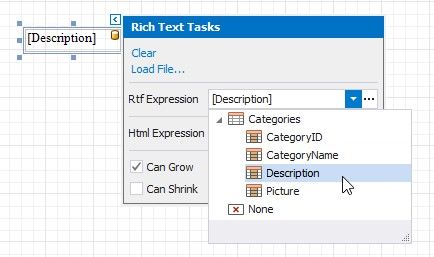
You can bind the control to a data field that provides HTML content in the same way. To do this, click the control's smart tag and use the Html Expression's drop-down list.
Click the Rtf Expression or Html Expression option's ellipsis button to invoke the Expression Editor. This editor allows you to construct a complex binding expression with two or more data fields.
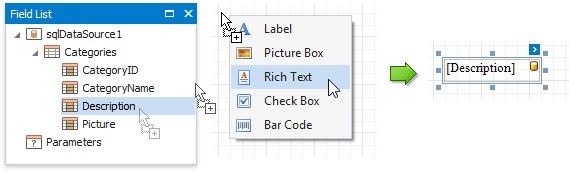
You can also drag and drop any field from the Field List with the right mouse button and select the Rich Text menu item. This creates a new Rich Text control bound to this field.
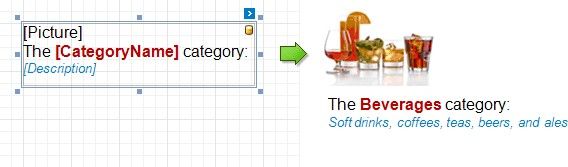
The Rich Text also enables you to merge data fields and static content in its text.
See the Bind Controls to Data and Use Embedded Fields topics for more information.