Zoom a Chart
If you are working with 2D XY-charts (Bar, Line, Point, etc.) or 3D charts, you can zoom in or out of a chart. This allows you to see some of the chart's data in greater detail, or get a more general picture of your data.
Note that zooming is unavailable for 2D Pie, 2D Doughnut, Radar, and Polar charts.
Zoom In a Chart
To zoom in a chart, do one of the following.
Hold down SHIFT and click.
After you press SHIFT, the mouse pointer is changed to  . Then, move the mouse pointer to the chart region to be zoomed into, and click (while holding SHIFT). The magnification factor is 300%.
Press SHIFT and select a region on a diagram.
After you press SHIFT, the mouse pointer is changed to . Then, select a zoomed region by dragging the mouse pointer.
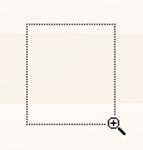
After releasing the left mouse button, a chart is zoomed into the bounds of the selected region on a diagram. (Note: This feature is available for 2D charts)
Use CTRL+PLUS SIGN.
In this case, the magnification factor is 120%.
Use the spread gestures on a touchscreen device.
An end-user can zoom in a chart's diagram performing spread gestures on any device supporting touchscreen

Use the mouse wheel
In this case, the magnification factor is 120%.
Zoom Out of a Chart
To zoom out of a chart, do one of the following.
Hold down ALT and click.
After you press ALT, the mouse pointer is changed to  . Then, move the mouse pointer to the region to be zoomed out, and click (while holding ALT). The magnification factor is 300%.
Use CTRL+MINUS SIGN.
In this case, the magnification factor is 120%.
 Use the pinch gestures on a touchscreen device.
A chart's diagram can be zoomed out by performing pinch gestures on any device supporting touchscreen.

Use the mouse wheel
In this case, the magnification factor is 120%.
Undo Zooming
Press CTRL+Z to return to the state before the first zoom operation in a series.