The Warehouse Management Fees screen is the repository of all Warehouse Management Fees contained in the RHOP system.

•To create a new Warehouse Management Fees record select on the tool bar the New  button.
•To open a Warehouse Management Fees record double click the Warehouse Management Fees record and the Warehouse Management Fees profile will be displayed. Once the Warehouse Management Fees profile is open the user can edit the information it contains.

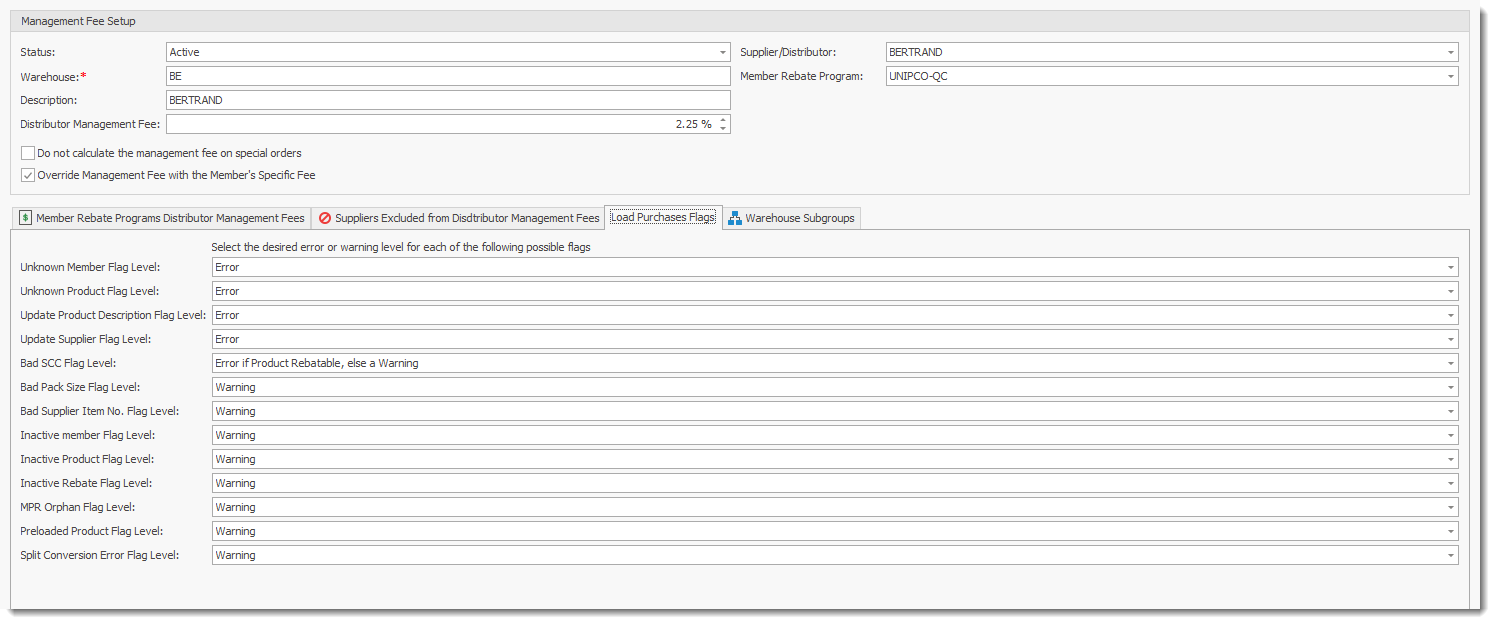
Warehouse: Enter the name of the warehouse
Description: Enter a description for the warehouse.
Management Fee: enter the fee
Supplier: enter the supplier of the warehouse
Member Rebate Program: enter the rebate program this warehouse is associated with.
Do Not Calculate the management Fee on special orders : Suspend calculations of management fees for special orders
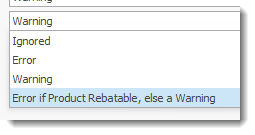
Load Purchase Flags: List the various business rules applied when processing a purchase file. Users can define the action to be applied for each rule specific to the selected warehouse