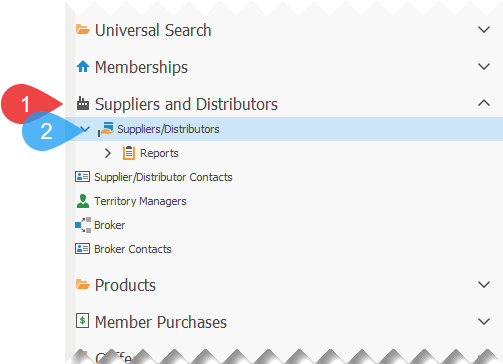
1.Click on Suppliers and Distributors, to expand the section, if not already expanded.
2.Click on Suppliers/Distributors, to open the list of suppliers and distributors.
3.Double-click on the supplier that you wish to add a record for the coffee green market differential and partnering fund.
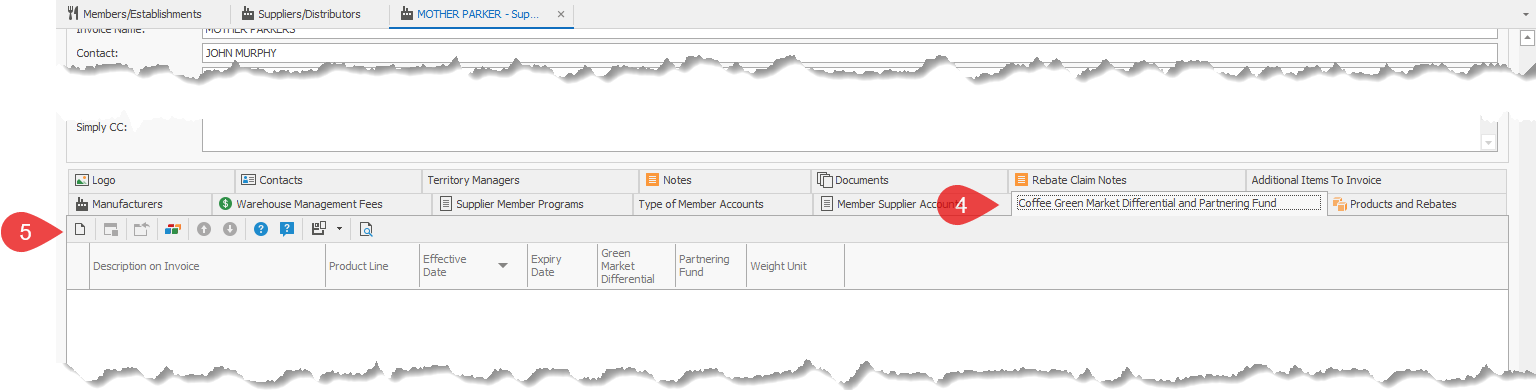
4.Select the Coffee Green Market Differential and Partnering Fund to view the list.
5.Click on the New  button.
6.Enter the Coffee Green Market Differential and Partnering Fund information:
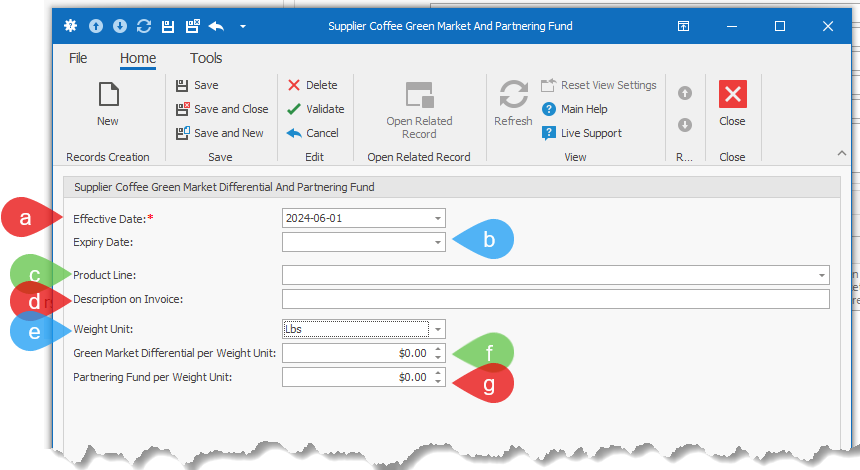
a.Enter the Effective Date
b.Enter the (Optional) Expiry Date
c.Select the Product Line that this Green Market Differential and/or Partnering Fund applies to.
d.Enter Description on Invoice. This is the description that will appear on the supplier's invoice.
e.Select the Weight Unit:
i.Lbs: The amount will be calculated based on the number of pounds(Lbs) of coffee purchased by the members for the date range represented on the invoice.
ii.Kg: The amount will be calculated based on the number of kilograms(Kg) of coffee purchased by the members for the date range represented on the invoice.
f.Enter the Green Market Differential per Weight Unit: Enter the dollar amount per weight unit selected in e. If it is not applicable, enter zero.
g.Enter the Partnering Fund per Weight Unit: Enter the dollar amount per weight unit selected in e. If it is not applicable, enter zero.
7.Click on one of the following to save the information:
a.Save
b.Save and Close
c.Save and New