Sparkline Column
A sparkline column visualizes the variation in summary values over time.
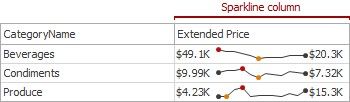
Data Binding Specifics
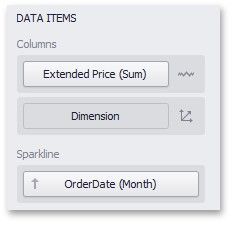
The sparkline column is bound to a measure providing sparkline values and to a dimension providing a date-time interval.
Sparkline Options
You can control sparkline appearance settings using the Column Options dialog. To invoke this dialog, click the column type indicator: 
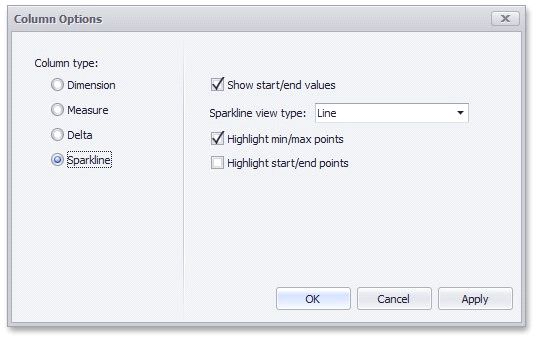
In this dialog, you can control various settings that affect how the sparkline is displayed within a grid cell.
SPARKLINE OPTIONS |
DESCRIPTION |
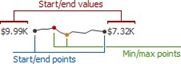
Show start/end values |
Species whether or not to display sparkline start/end values within a grid cell. |
|
|
SPARKLINE OPTIONS |
DESCRIPTION |
Sparkline view type |
Defines the view type of a sparkline. Sparkline view types include Line, Area, Bar, and Win/Loss. |
Highlight min/max points |
Specifies whether or not to highlight the minimum/maximum points of a sparkline. |
Highlight start/end points |
Specifies whether or not to highlight the start/end points of a sparkline. |