When the KPI module is used in RHOP, the KPI navigation group with the Definition and Scorecard navigation items is available.
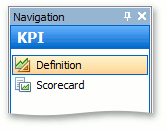
To view and analyze the collection of KPI, the Scorecard object can be used. Scorecard is an object that has linked KPI. Under the Scorecard navigation item, Scorecards with linked KPI can be created.
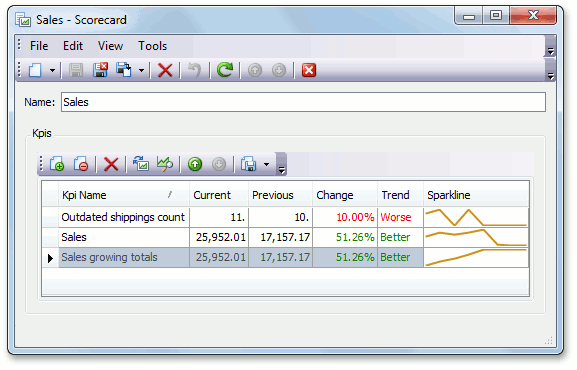
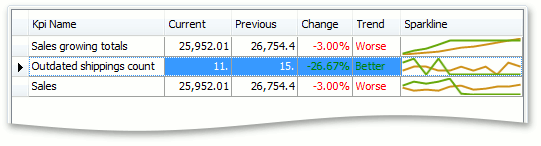
The changes for the current period are visualized in the Sparkline column by default. To display current and previous periods, set the KpiDefinition object’s Suppressed Series property to an empty string (its value is “Previous” by default). This property is invisible in the KPIDefinition object’s Detail View layout by default. To allow end-users to change the Suppressed Series value at run-time, modify the Detail View layout to make the Supressed Series editor visible. The image below illustrates the Sparkline column, displaying both previous and current value changes.
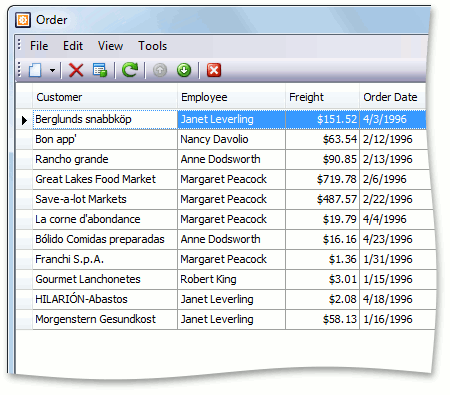
A drill-down list view can be invoked by double-clicking the KPI. The result is a list of objects that were used to calculate the KPI. This list view can be analyzed by grouping and sorting data.
To visualize KPI on the scorecard or dashboard, the KpiInstance objects are used. The KpiInstance is separated from the KpiDefinition. The KpiInstance object holds and manages KPI measurement history, retrieves Current and Previous values from the KPI history cache, creates a data source for sparkline and chart editors, and is responsible for cleaning outdated values from the cache. A KpiInstance object is created by a KpiDefinition object in its AfterConstruction method. The ShowChart Action provides the capability to view KPI results as a chart.
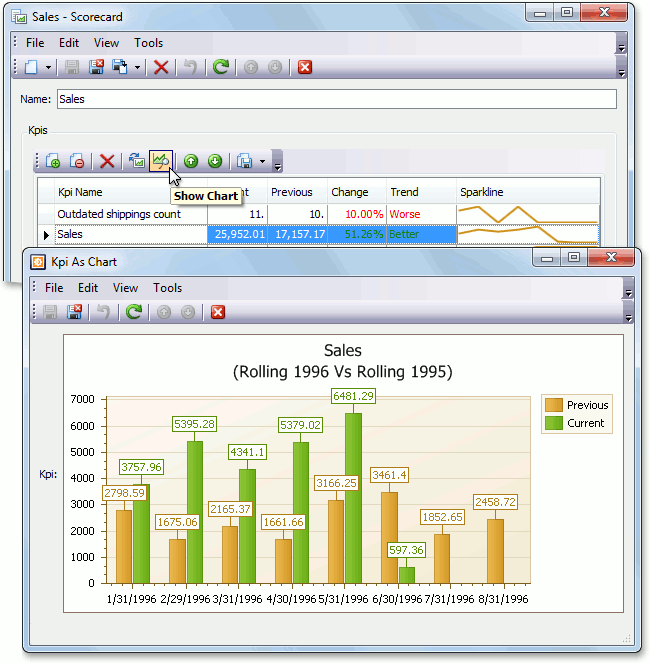
Although only the WinForms (desktop) application screenshots were illustrated, the same functionality is available in an RHOP Web application.
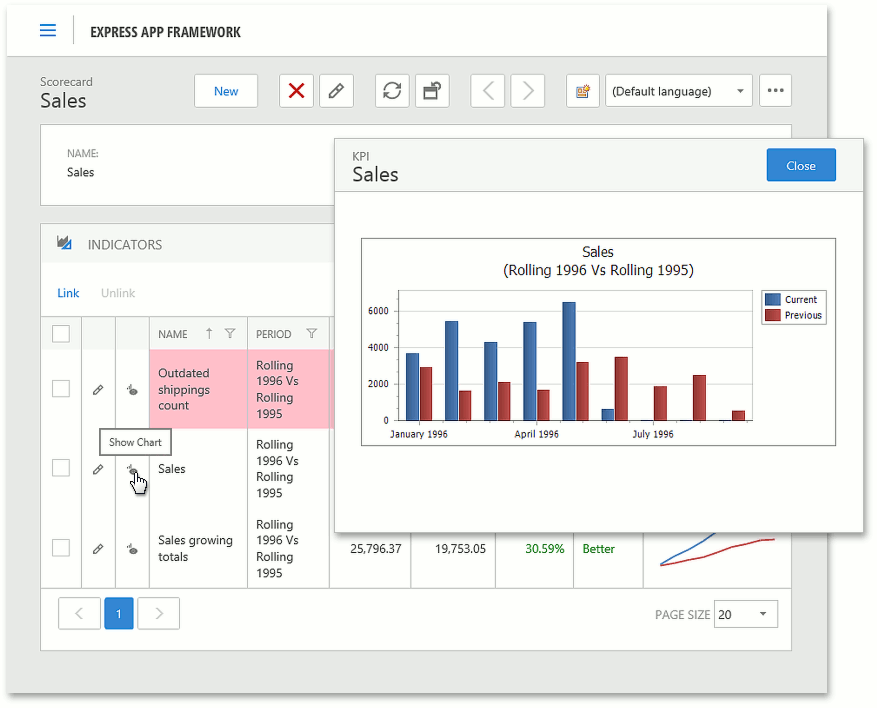
The chart is customizable in the Chart Designer, and can be printed just like charts created with the Pivot Chart Module.