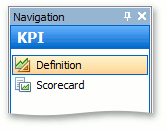
When the KPI module is used in RHOP, the KPI navigation group with the Definition and Scorecard navigation items is available.
In the Definition tab, a new KPI definition represented by the KpiDefinition persistent object can be created.
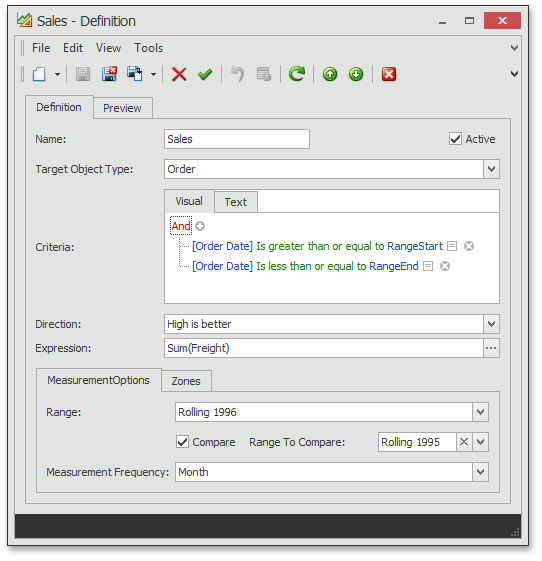
The KpiDefinition object properties are described in the table below.
Property |
Description |
Name |
KPI name. |
TargetObjectType |
The type of business object the KPI is designed for. |
Criteria |
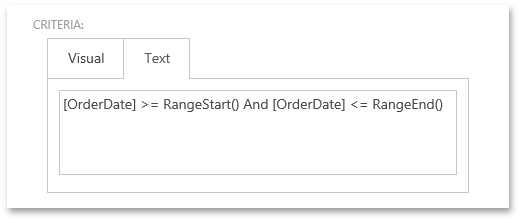
Specifies the Criteria Language expression that is used to calculate each measurement item based on the MeasurementFrequency property. The CurrentValue of the entire KPI instance represents the last measurement value. In the expression, you can use the RangeStart() and RangeEnd() Function Criteria Operators that internally get replaced with the actual date range start and end values calculated from the Range property. In the RHOP WEB application, switch to the Text tab to add the Function Criteria Operators in the Criteria property.
|
Direction |
The Direction { LowIsBetter, HighIsBetter } enumeration value specifies how to treat deviation from a previous measurement result. |
Expression |
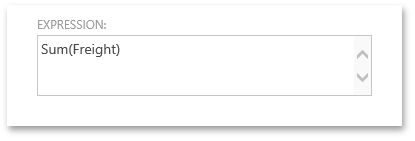
An expression that is used to evaluate KPI - Sum, Count, Avg, etc. In WinForms(desktop) applications, you can use the PopupExpressionPropertyEditor Property Editor to simplify the creation of an expression of any complexity with the help of the Expression Editor dialog. To achieve this, invoke the Model Editor and set the PropertyEditor property of the BOModel | KpiDefinition | OwnMembers | Expression node to DevExpress.ExpresssApp.Win.Editors.PopupExpressionPropertyEditor. In the RHOP WEB application, there is no special editor for an expression, so it is edited as a string.
You can use ?RangeStart and ?RangeEnd parameters to create free joins: Expression = "Iif(Count() = 0, 0, Count() * 100 / [<Order>][[Order Date] >= '?RangeStart' And [Order Date] <= '?RangeEnd'].Count())" The expression above evaluates the percentage ratio of orders in the RangeStart/RangeEnd period and the total number of orders. The KPI module replaces these predefined strings with values when it evaluates the expression. The strings are not used outside the KPI module. |
Range |
The period to analyze. |
Compare |
The Boolean flag that indicates if current KPI values should be compared to previous values calculated using the RangeToCompare period. |
RangeToCompare |
The past period to be compared with the Range. |
MeasurementFrequency |
The Range is split into intervals, and the MeasurementFrequency specifies the size of each interval. For each interval, a KPI value is calculated. |
GreenZone, RedZone |
Specify the KPI value’s “green” and “red” ranges, which can be used for visualization. You can define Conditional Appearance rules that take these values into account. |
SuppressedSeries |
Specifies the range whose sparkline is suppressed in the Dashboard. The SuppressedSeries editor is invisible by default. More details on this property are provided below. |