Rebate Exceptions (1)
Displays by Supplier a list of all Rebates Exception linked to the member.
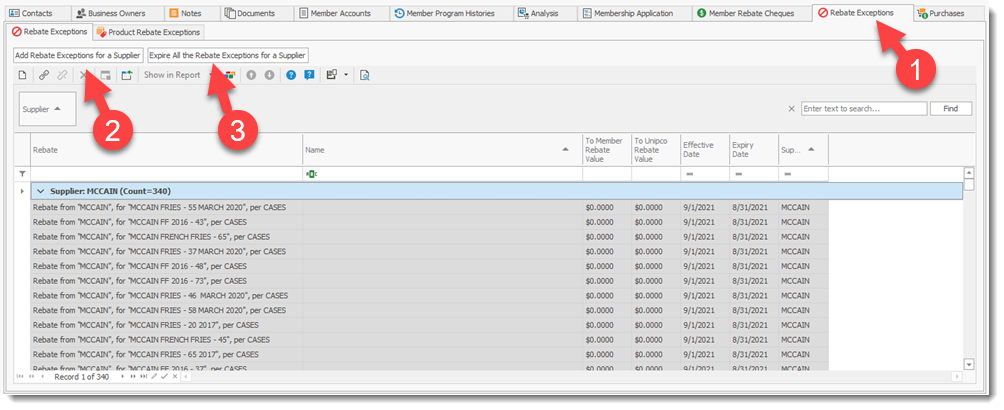
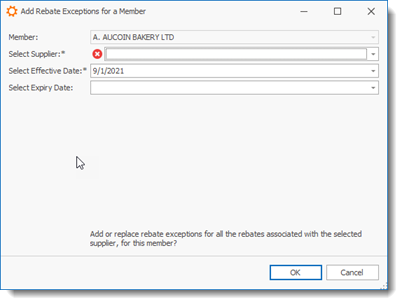
Select Add Rebate Exceptions for a Supplier (2) button to add an Rebate exception to the selected member and complete the required fields.
Select the Expire All the Rebate Exceptions for a Supplier (3) button to expire Rebates exception linked with a Supplier.