QR Code
A QR Code (QR is the abbreviation for Quick Response) is a two-dimensional code, readable by QR scanners, mobile phones with a camera, and smartphones. QR Code can encode textual, numeric and binary data.

Add the Barcode to a Report
1.Drag the Barcode item from the report controls toolbox tab and drop it onto the report.
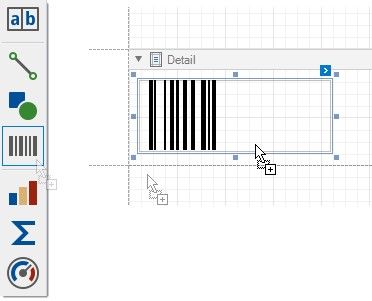
2.Set the control’s Symbology property to QRCode.
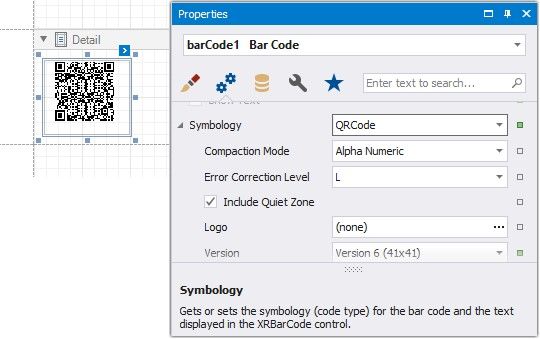
3.Specify common barcode properties and properties specific to QR Code.
Specific Properties
In the property grid, expand the Symbology list and specify the following properties specific to QR Code:
Auto Module
Gets or sets whether the Module property value should be calculated automatically based upon the barcode's size.
Compaction Mode
Specifies whether numeric, alpha-numeric or byte information should be used as the barcode's data.
Error Correction Level
Specifies the amount of redundancy built into the barcode's coding, to compensate for calculation errors.  Version
Specifies the barcode's size.
Logo
Specifies the image that overlays the QR code.