Orientation
You can rotate the Scatter Chart so that the X-axis becomes vertical, and the Y-axis becomes horizontal.
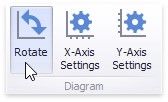
To rotate a Chart in the Designer, use the Rotate button in the Diagram section of the Design Ribbon tab.
|
<< Click to Display Table of Contents >> Navigation: Dashboard Designer > Dashboard Item > Scatter Chart > Orientation |
Orientation
You can rotate the Scatter Chart so that the X-axis becomes vertical, and the Y-axis becomes horizontal.
To rotate a Chart in the Designer, use the Rotate button in the Diagram section of the Design Ribbon tab.