Master Filtering
The Dashboard Designer allows you to use any data aware dashboard item as a filter for other dashboard items. To learn more, see the Master Filtering topic, which describes filtering concepts common to all dashboard items.
The Treemap dashboard item supports filtering by tiles/groups.
When Master Filtering is enabled, you can click a tile or group caption (or multiple tiles/groups by holding down the CTRL key) to make other dashboard items only display data related to the selected tile/group(s).
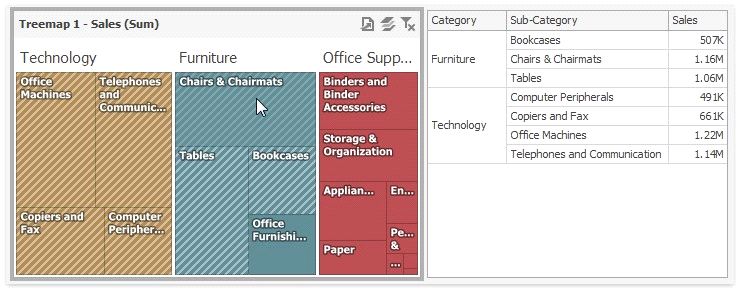
If the Single Master Filter is used, you can select only tiles corresponding to the bottommost level.