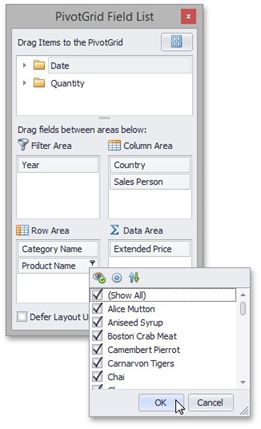
Invoke a Filter Window
You can invoke a Filter Window from the Pivot Table or from a Field List (to learn about Field Lists, see Field List Overview).
Invoke a Filter Window from the Pivot Table
Field headers display special buttons used to invoke a Filter Window. Follow the steps below:
•Hover over the header of a field whose data you need to filter. A filter button (the icon) will be highlighted.
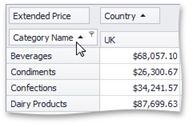
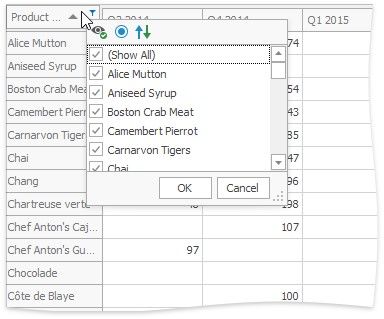
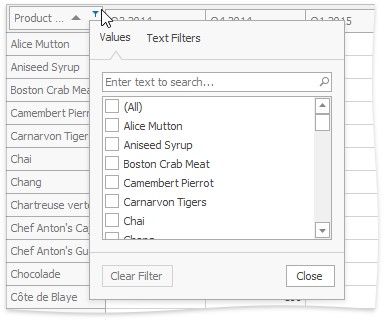
•Click this filter button to display a Filter Window. Filter windows can be Classic or Excel-style:
CL ASSIC |
EXCEL-ST YLE |
|
|
Invoke a Filter Window from a Field List
You can use an advanced Field List to filter field values.
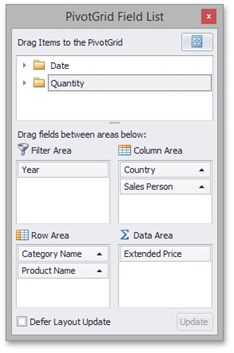
First, invoke a Field List. For information on how to do this, see Invoke a Field List. To open a Filter Window, click the filter button displayed in the field header.