Interleaved 2 of 5
Interleaved 2 of 5 is a higher-density numerical barcode based upon the Standard 2 of 5 symbology. It is used primarily in the distribution and warehouse industry.
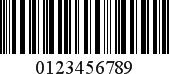
Add the Barcode to a Report
1.Drag the Barcode item from the report controls toolbox tab and drop it onto the report.
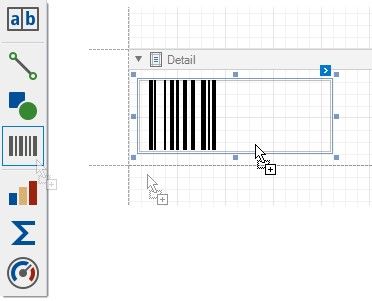
2.Set the control’s Symbology property to Interleaved2of5.
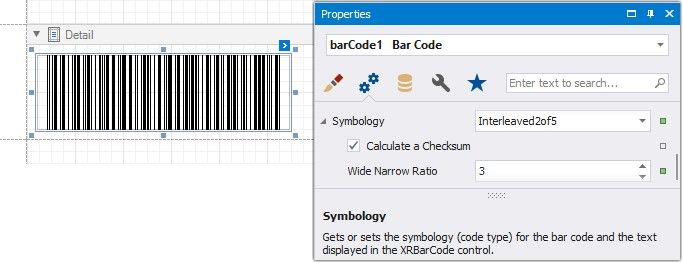
3.Specify common barcode properties and properties specific to Interleaved 2 of 5.
Specific Properties
In the property grid, expand the Symbology list and specify the following properties specific to Interleaved 2 of 5:
Calculate a Checksum
Specifies whether to calculate a checksum for the barcode.
Wide Narrow Ratio
Specifies the density of a barcode's bars.