Interactivity
The tab page allows you to manage the interaction between dashboard items inside and outside the page.
The Master Filter button (in the Interactivity group on the Data ribbon tab of the Page Tools contextual tab set) controls whether the current tab page allows you to filter dashboard items outside the page using master filter items contained within the page. If this button is switched off, master filter items in the page can filter only dashboard items in this page.
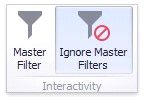
The Ignore Master Filters button (in the Interactivity group on the Data ribbon tab of the Page Tools contextual tab set) allows you to isolate dashboard items contained within the page from external master filter items.