Group and Sort Panel
The Group and Sort Panel allows you to quickly apply grouping and sorting to your report data.
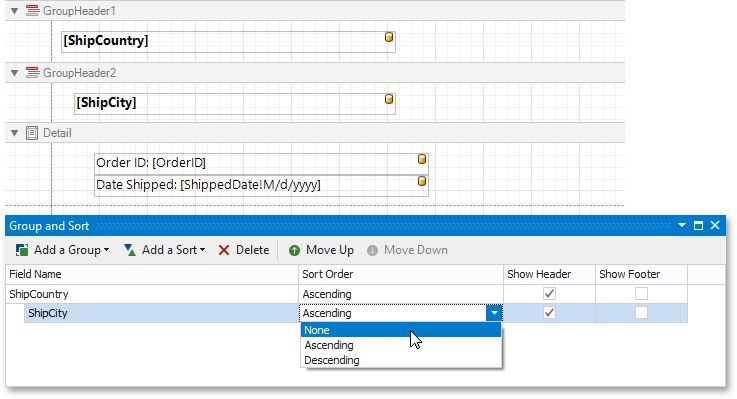
To create a new grouping or sorting criterion, simply click Add a Group or Add a Sort.
Then, to control whether the corresponding Group Header or Footer band should be displayed, use the Show Header and Show Footer check boxes.
The Sort Order drop-down list allows you to specify a sorting mode (ascending or descending) or disable sorting.
You can change the order in which multiple grouping and sorting criteria are to be performed, using the Move Up and Move Down buttons.
To remove a grouping or sorting criterion, select it, and click Delete.