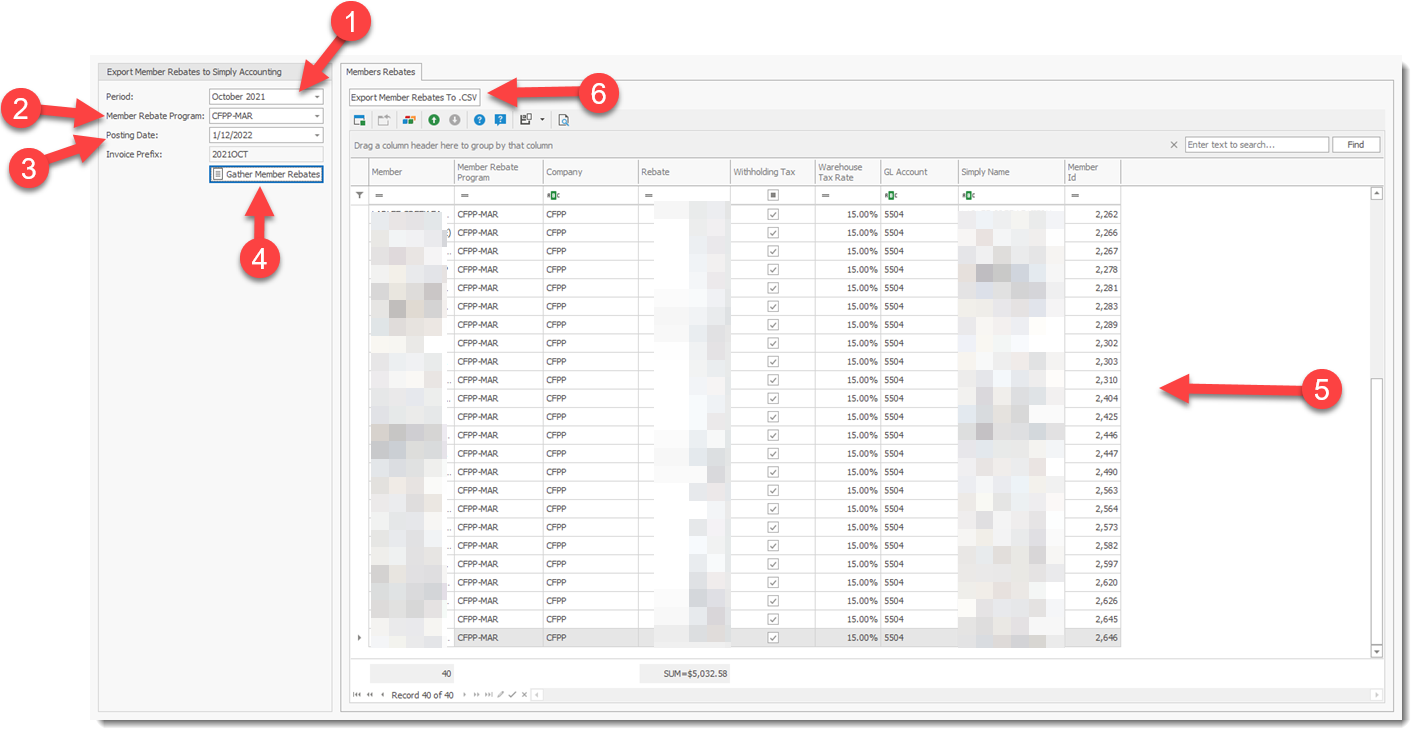
To export RHOP member rebate accounting information to Simply Accounting follow the steps:
1) Select Accounting Period for Member data
2) Select Member program data to export
3) Enter the Posting date to use in Simply Accounting.
4) Generate the data to export
5) Review the data that will be exported
6) Export the data to a folder from which you can retreive with Swagman the file for import. Swagman does the actual import into Simply Accounting.