Expand and Collapse Nodes in a Tree List
Expand and Collapse Nodes
Do one of the following:
Focus the node and then press PLUS on the keyboard to expand the node, and MINUS to collapse the node:
Click the node's expand button.
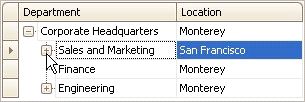
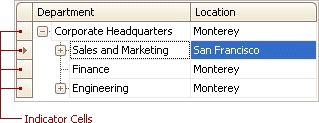
Double-click the indicator cell corresponding to the node.
Expand Nodes Recursively
To expand a node and all its child nodes that have nested nodes, focus the node and press MULTIPLY on the keyboard.