To exclude a supplier from the warehouse management fee calculation, please follow the following steps:
1.Select the supplier you want to exclude from the warehouse management fees.
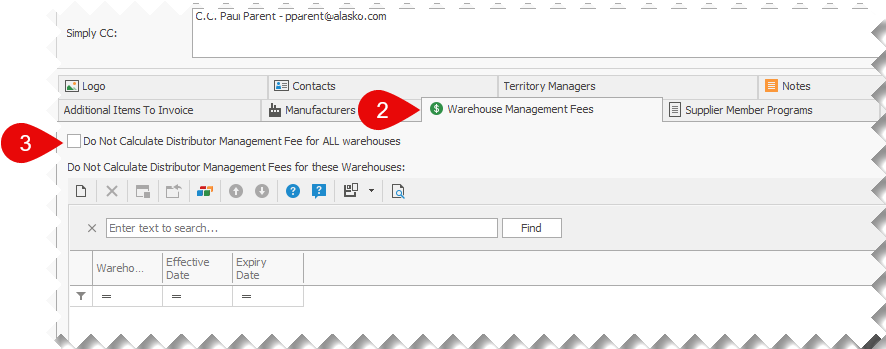
2.Once the supplier information screen is open, scroll down to view and select the Warehouse Management Fees tab;
3.Place a check mark in the Do Not Calculate Distributor Management Fee for ALL warehouses check box.