Editing Text
To edit the text within the Text Box, click the Edit button in the ribbon's Design tab or use the corresponding item in the context menu.
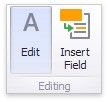
This adds the Text Box Editor context category to the Dashboard Designer's ribbon and allows you to modify the content within the Text Box.

To learn how to edit the content within the Text Box, see Rich Text Editor. After you change the document, click Edit again to finish editing.