Edit Cells in Vertical Grids
Activate Cell Editor
Do one of the following:
Click a cell.
Focus a cell (for instance, via the keyboard), and press ENTER or F2.
Focus a cell and press any alpha-numeric key. The editor will be invoked and its contents will be replaced with the pressed character.
Select and Deselect Cell Text
Press F2 or CTRL+A.
Close Cell Editor and Accept Changes Made
Do one of the following:
Press ENTER.
Click any other grid cell.
Focus any other control.
Discard Changes
To discard changes made in a cell, press ESC.
Open Cell Editor's Dropdown
Do one of the following:
Activate a cell editor and press ALT+DOWN ARROW or F4.
Click the editor's dropdown button:
Close Cell Editor's Dropdown
For all editors providing a dropdown, you can close the dropdown by pressing ALT+DOWN ARROW.
If the calculator is displayed in the dropdown, it can be closed via CTRL+ENTER.
Dropdowns displaying lists of items can be closed by clicking an item with the mouse, or by selecting an item with the keyboard and pressing ENTER.
Change Values
Change Date/Time Values
You can edit these cell values without opening the dropdown calendar. Position the caret at the portion of a date/time value that needs to be changed. To increment the value, press CTRL+UP ARROW. To decrement the value, press CTRL+DOWN ARROW.
Change Numeric Values
To increment the value, press CTRL+UP ARROW. To decrement the value, press CTRL+DOWN ARROW.
Change Values of Cells That Provide Dropdown Items
To select the previous value, press CTRL+UP ARROW. To select the next value, press CTRL+DOWN ARROW.
Edit Images
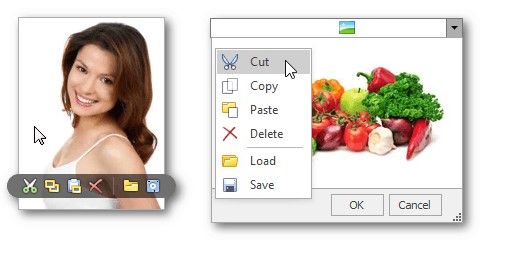
To copy, cut, paste, load and save images in image editors, right click the image and select the required command via the context menu: