Data Inspector
Data Inspector is a dialog window that displays raw and aggregated data.
Overview
To invoke the Data Inspector window, click the "Inspect Data" button  in the dashboard item caption or select the "Inspect Data" context menu item.
Aggregated (Displayed) Data
The data shown as Aggregated is retrieved from the dashboard item's data storage.
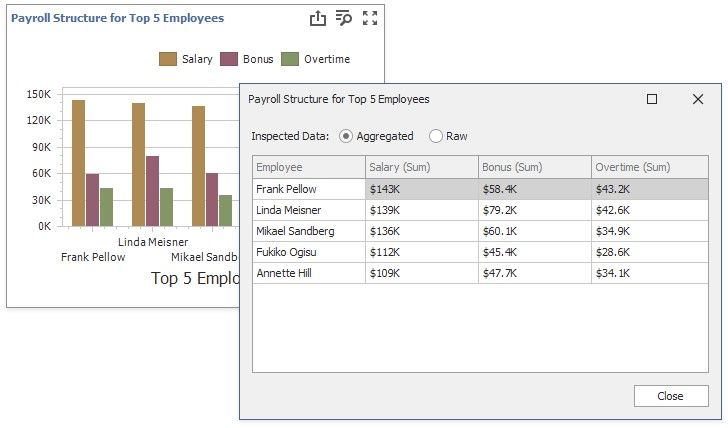
The columns are:
Dimensions, except the Sparkline.
Measures. A list of dimensions does not include unbound measures (the measures without a DataMember, such as Totals and the number of points in a Cluster.
The Sparkline is displayed as a column.
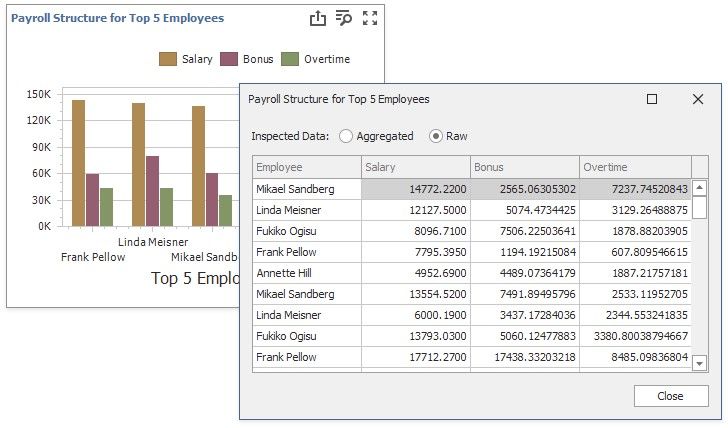
Raw Data
Raw data is the dashboard item's underlying data.
Raw Data: