Currency Formatting Specifics
The Dashboard allows you to specify a currency format at two levels: for the entire dashboard and for individual data items.
1.Data Item Currency
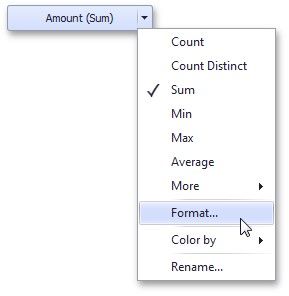
To specify which currency to use for a particular data item, select Format from the data item menu.
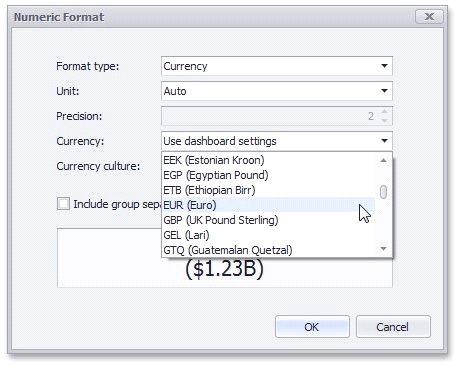
In the Numeric Format dialog, select Currency in the Format type field and use the Currency combo box to select the required currency.
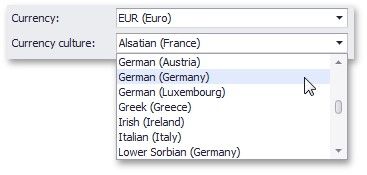
For regions with several cultures, you can also select the culture that will be used to format currency values.
You can also apply the default dashboard currency by selecting Use dashboard settings in the Currency field.
2.Dashboard Currency
You can also specify the default currency for the dashboard. This setting will be applied to dashboard items that have no currency defined.
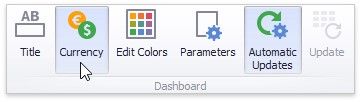
To set the dashboard currency, click the Currency button in the Ribbon.
This invokes the Dashboard Currency window. In this window, select the required currency using the Currency combo box.
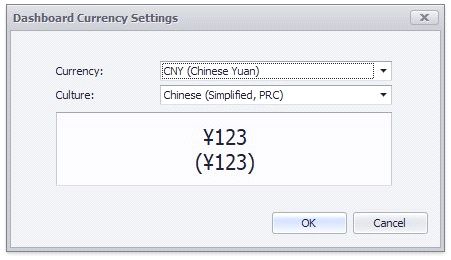
For regions with several cultures, you can also select the culture that will be used to format currency values.
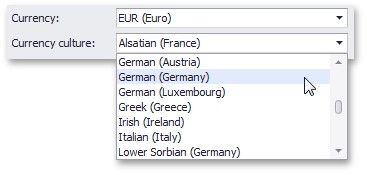
Additionally, you can specify the client culture that should be used for the dashboard by selecting the Use client system settings item. In this instance, the current system culture will be used in WinForms applications, and the client culture will be used in Web applications.