Codabar
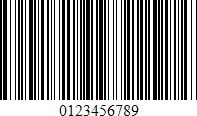
The Codabar is a discrete, self-checking symbology that may encode 16 different characters, plus an additional 4 start/stop characters. This symbology is used by U.S. blood banks, photo labs, and on FedEx air bills.
Add the Barcode to a Report
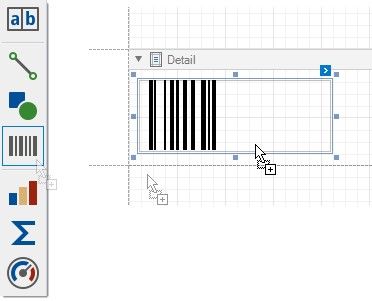
1.Drag the Barcode item from the report controls toolbox tab and drop it onto the report.
2.Set the control’s Symbology property to Codabar.
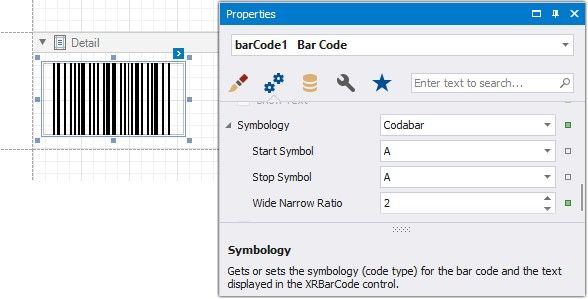
3.Specify common barcode properties and properties specific to Codebar.
Specific Properties
In the property grid, expand the Symbology list and specify the following properties specific to Codabar:
 StartSymbol
Gets or sets the first (start) symbol used to code the barcode's structure.
 StopSymbol
Gets or sets the last (stop) symbol used to code the barcode's structure.
 Wide Narrow Ratio
Specifies the density of a barcode's bars.