Binding to Data in the Designer
The image below shows a sample Scatter Chart dashboard item that is bound to data.
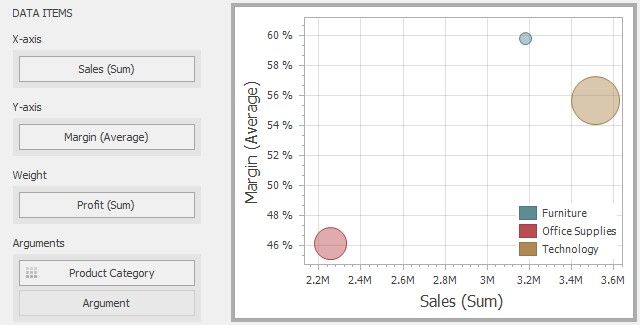
To bind the Scatter Chart dashboard item to data, drag and drop a data source field to a placeholder contained in one of the available data sections. A table below lists and describes Scatter Chart data sections.
SECTION |
DESCRIPTION |
X-Axis |
Contains the data item against which the X-coordinates of data points are calculated. |
Y-Axis |
Contains the data item against which the Y-coordinates of data points are calculated. |
Weight |
Contains the data item whose values are used to calculate the weight of data points. |
Arguments |
Contains data items providing scatter chart arguments that are used to create data points. |