Bind Dashboard Items to Data in OLAP mode
In OLAP mode, the cube schema is fetched automatically, and the Data Source Browser displays the entire OLAP cube structure.
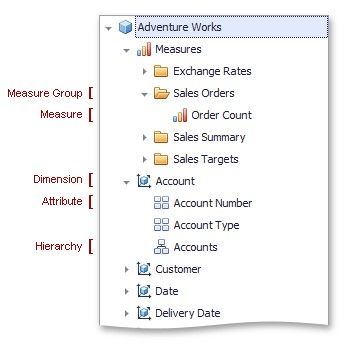
To visualize data from the OLAP cube, drag-and-drop measures, attributes or hierarchies onto the appropriate data sections in the DATA ITEMS area.
Note that OLAP measures can only be placed in the Values section, while dimension attributes and hierarchies can only be placed in other data sections.
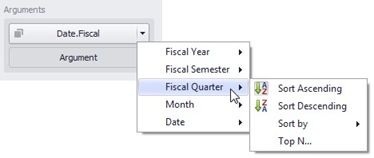
OLAP hierarchies allow you to customize each level separately. To access hierarchy level options, invoke the data item menu for the hierarchy and then use the submenu that corresponds to the desired level.