Switch Scheduler Views
Change Active View
The scheduler is intended to display appointment data using one of the standard Views. The currently active view used by the scheduler can be either selected intentionally or changed according to the scheduler's internal logic.
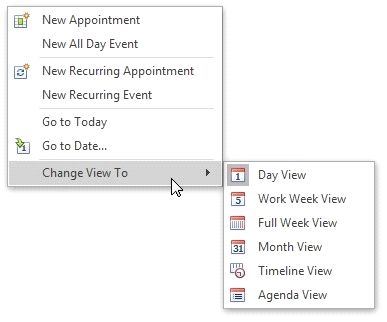
 To change the active view, use the corresponding item of the scheduler's context menu. This menu is invoked when you right-click any region of the scheduler (not occupied with an appointment).
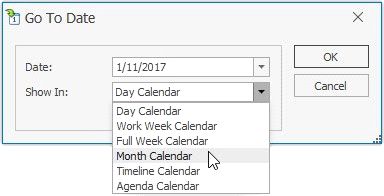
While navigating through dates via Go To Date the dialog, you can specify a view type to display a new time interval.
The scheduler selects a view mode automatically, according to the date range selected in the date navigator, combined with a scheduler.

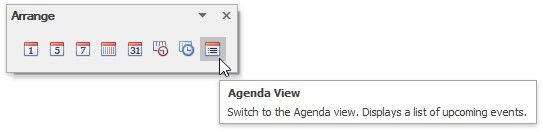
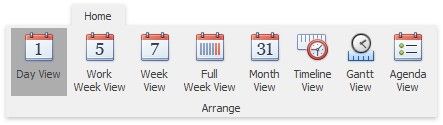
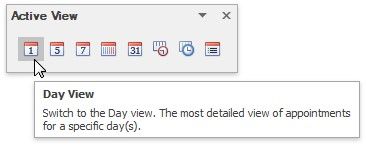
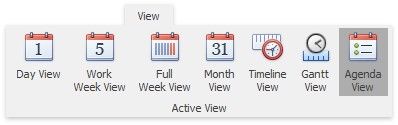
If a scheduler is provided with the Bar or Ribbon interface, you can use the Active View and Arrange toolbars or Ribbon page groups.
CHANGE THE ACTIVE VIEW VIA BAR INTERFACE |
CHANGE THE ACTIVE VIEW VIA RIBBON INTERFACE |
|||
|
|
|||
CHANGE THE ACTIVE VIEW VIA BAR INTERFACE |
CHANGE THE ACTIVE VIEW VIA RIBBON INTERFACE |
|||
|
|
|||
Available View Types
 Day View
This view provides the most detailed view of appointments for a certain day(s).
 Work-Week View
This view displays appointments for the working days in a particular week.
 Week View
This view displays appointments for any given week.
 Month (also called Multi-Week) View
The month view is the least detailed of the views, and is designed to allow browsing and long-term plan analysis. This view positions the days one after another horizontally, so that they form weeks, while weeks are placed one under the other.
 Timeline View
This view plots appointments as horizontal bars along the timescales, and provides a clearer overview for scheduling purposes.
Gantt View
This view displays appointments as horizontal bars along the timescales, shows the current schedule status using percentcomplete shadings and displays dependency relationships between appointments. 
Agenda View
This view displays appointment as a chronological list grouped by day.