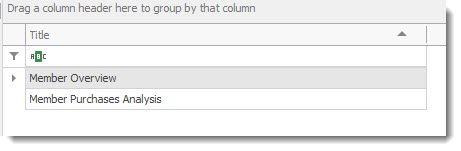
A user can run or create pre-defined dashboards.
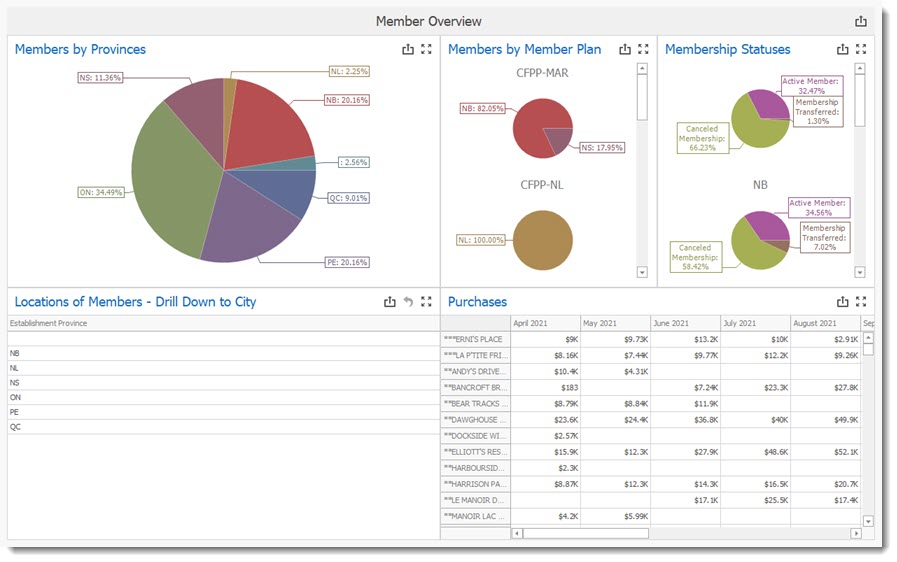
The Member Overview graphically displays an overview of business activity.
IMPORTANT
Depending on the volume of data to be processed the dashboard can take some time before displaying the results.
|
The drill down section of this dashboard allows users to drill down to a city to view the member located in that city.
Available Buttons:
 Print / Export Dashboard
 Return button, allows a user to navigate back up in a drill down to the start of the displayed data.
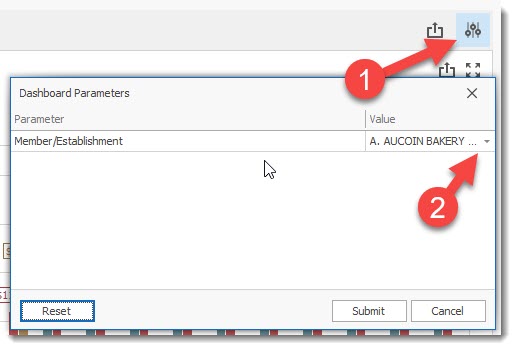
 Dashboard parameters (not available in all dashboards, only in the dashboards requiring user input).
 Dashboard Maximize button
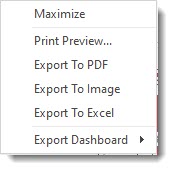 Right clicking your mouse will display the dashboard menu
Dashboard Parameter screen
 Dashboard parameter reset button, allows user to select another member.
 Dashboard Parameter Submit button that starts the creation of the dashboard.