Dashboard Title
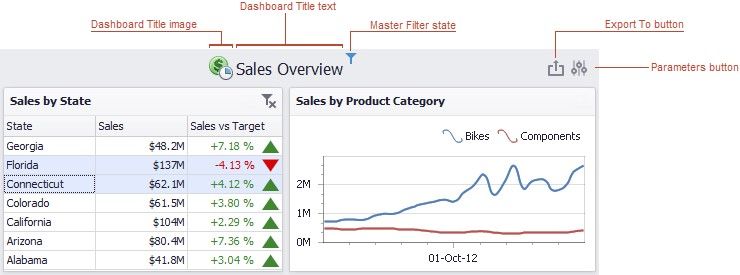
The Dashboard Title is located at the top of the Dashboard. The dashboard title can contain text or image content, elements selected in the master filter item and command buttons.
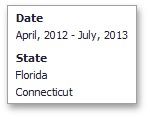
When you hover over the filter icon ( ), all master filters applied to the dashboard are displayed in the invoked popup.
The dashboard title can contain the following command buttons.
Export To button (the  icon) - allows you to print/export the dashboard. To learn more about printing and exporting, see the Printing and Exporting topic.
Parameters button (the  icon) - allows you to modify dashboard parameter values. To learn how to modify dashboard parameter values, see the Requesting Parameter Values topic.